How to send large video files via email
You’ve just finished editing a high-quality video — the lighting is perfect, the transitions are smooth, and the final cut looks amazing. You’re ready to share it with your client, team, or audience…
But there’s one tiny problem. Your email pops up with an annoying message:
In today’s digital world, videos are everywhere—from marketing campaigns and social content to remote collaborations and tutorials. But when it comes to sharing those large files, traditional email limits can make the process painful.
The good news!
You can send large video files via email—you just need the right tools and approach. Let’s explore the smartest, most secure ways to share big videos online (without compromising quality, speed, or sanity).
Send Large Videos Without the Email Headache
Stop fighting attachment limits and failed uploads. SendMega lets you share large video files instantly — securely, reliably, and without sacrificing quality.
Send Large Files with SendMegaBefore we jump into solutions, let’s talk about why this happens in the first place.
Why Sending Large Files via Email Can Be a Hassle
Most email platforms—like Gmail, Outlook, and Yahoo—limit attachments to around 20–25 MB. That’s fine for a few photos or a short document, but a single HD video can easily exceed 500 MB or more.
Beyond size, there’s also the issue of security. When you send attachments directly, you lose control once they’re sent. If you’ve ever emailed the wrong version or sent a file to the wrong person, you know how stressful that can be.
That’s why modern creators and businesses are turning to cloud-based file sharing platforms that make sending large videos easier, faster, and safer.
1. Share Large Videos via Cloud Storage
One of the most popular—and practical—solutions is cloud storage.
Instead of attaching your video, you upload it to a secure cloud drive and send a shareable link via email. The recipient simply clicks to view or download the file—no bulky attachments, no size limits.
Cloud storage platforms like SendMega, Google Drive, WeTransfer, and Mega.io take this one step further by letting you control access permissions, expiration dates, and even view activity logs. That means your files are always protected, even after they’re shared.
Here’s how it works:
- Upload your video file to a cloud storage folder (e.g., in SendMega).
- Create a secure sharing link.
- Set privacy settings — choose whether recipients can view, comment, or download.
- Paste the link into your email and hit “Send.”
Benefits:
- No size limits
- Fast uploads and downloads
- Option to stream or download videos
- Full control over access and security
Pro Tip: With SendMega, you can organize your shared videos into project folders — making collaboration smoother and more professional.
2. Use File Transfer Tools for Large Videos
If you don’t want to store files in the cloud long-term but still need to deliver large videos securely, file transfer tools are your best friend.
These tools create a temporary, secure link that recipients can use to download your video. Think of it like mailing a digital package—only much faster.
Among the top file transfer tools, we will take the example of SendMega here.
Steps to send large files using a transfer tool:
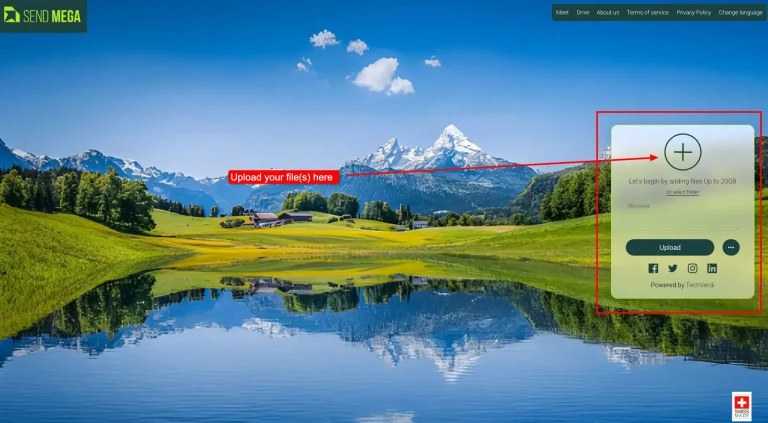
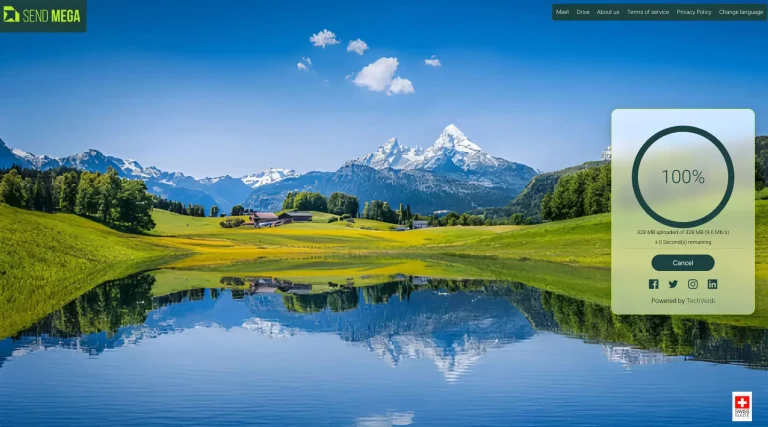
- Upload your video to the SendMega Transfer dashboard.
2. Customize your link—add a password, set an expiry date, or track downloads.
3. Send the secure link via email.
Why it’s great:
- Perfect for final video deliveries
- No compression or quality loss
- Control access with passwords and expiry links
- Professional look and feel (custom branding available)
3. Compress the Video File (When Necessary)
Sometimes, you just have to send your video as an attachment. In that case, compression can help—though it comes with trade-offs.
Video compression reduces file size by lowering resolution, bitrate, or frame rate. While this helps fit under email limits, it often sacrifices visual quality.
Tools You Can Use for Video Compression
- Built-in software like QuickTime (Mac)
- Free tools such as HandBrake or VLC Media Player
- ZIP compression for sending multiple files together
Pros
- Works well for smaller video files
- No need to use external platforms
Cons
- Video quality may be reduced
- Still limited by email attachment size
- No access control or download tracking
If maintaining quality is important (and it usually is), cloud sharing or file transfer tools are far more reliable.
Security, Speed, and Simplicity Matter More Than Ever
When you’re sending valuable content — especially videos for clients, partners, or public release — you can’t afford to take risks.
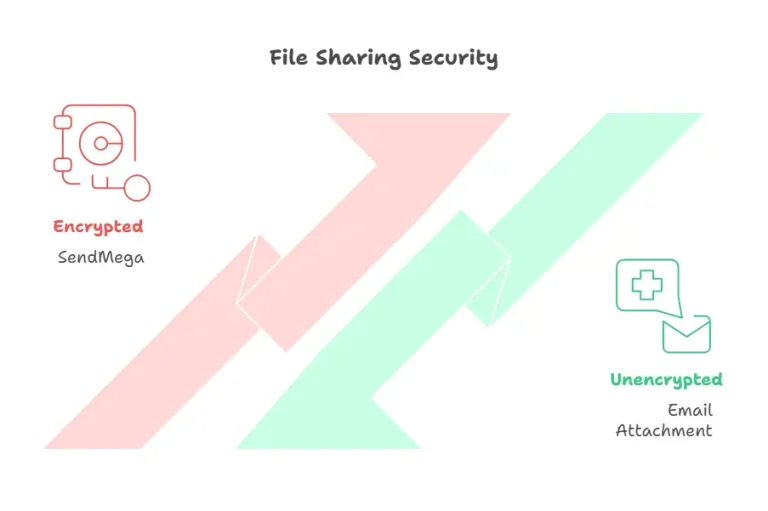
Every time you send an attachment, you’re potentially exposing sensitive data. That’s why encrypted, access-controlled file sharing has become the new standard for professionals.
With SendMega, every shared file is encrypted, password-protected, and trackable. You can revoke access anytime, manage permissions, and ensure your creative work stays safe.
Think of it as the difference between handing someone a physical hard drive and giving them a digital key to a secure vault.
Step-by-Step: How to Send Large Video Files via Email (The Smart Way)
Here’s a quick, no-stress workflow you can follow right now:
- Upload your video to SendMega’s secure cloud.
- Create a shareable link — adjust permissions and set expiry if needed.
- Compose your email and paste the link in the message.
- Send it confidently — knowing your recipient will receive it instantly and securely.
No failed uploads. No lost attachments. No data risks. Just seamless file sharing done right.
Common Mistakes to Avoid
Even with great tools, it’s easy to slip up. Watch out for these:
- Compressing videos too much — and ruining quality.
- Sending files to the wrong address — always double-check recipients.
- Forgetting to set permissions — never share sensitive videos publicly by accident.
Pro sharing is about control—and the right platform gives you plenty of it.
Final Thoughts: Smarter Sharing Starts Here
So, can you send large video files via email? Absolutely—just not the old-fashioned way.
Whether you’re sharing creative projects, training videos, or business presentations, SendMega makes it easy to send, store, and protect your files in one place. With cloud storage, file transfer tools, and built-in security, it’s the best way to send large videos safely and professionally.
Recent Posts
All Categories
- Cloud Storage (4)
- File Share (4)
- Guides (2)
- News (2)
- Online Meetings (2)